

TL;DR
All eight models are built on OpenAI’s GPT-Image 2.5 / 2 series underneath. The differences are in channel nature (official direct vs reverse-engineered), pricing model, and parameter granularity. The three official models share price and parameters; the five reverse models share the same call format (the two
-all models at $0.025/image, the -vip trio at $0.03/image).
The three reverse lines (-all / 2.5-all / -vip trio): This page’s “Reverse” column covers
gpt-image-2-all, gpt-image-2.5-all and gpt-image-2-vip / gpt-image-2.5-flare-vip / gpt-image-2.5-sunburst-vip (alias gpt-image-2.5-vip = sunburst-vip). All share the same call format (the three -vip models additionally support size) and are billed per call: $0.025/image for the two -all models, $0.03/image for the -vip trio:gpt-image-2-all/gpt-image-2.5-all: ChatGPT web line, ~90s generation — speed is the advantage; 2.5-all is backed by Images 2.5gpt-image-2-vipand the two 2.5 -vip models: Adobe line (Firefly),sizelocking (30 presets incl. 4K); all three acceptquality(channel behavior, not a commitment): the two 2.5 models openedxhigh/maxin 2026-09-10 retesting and now take all six tiers,gpt-image-2-vipgoes up tohigh; all three return transparent backgrounds; flare-vip is the fastest with a softer look, sunburst-vip is visually close togpt-image-2-vip- In common: none support
n;maskis whole-image regeneration on all of them, with no guarantee of touching only the masked region
n > 1, use the official models (gpt-image-2.5-flare / gpt-image-2.5-sunburst / gpt-image-2).Full Comparison Table
🔑 Create or manage API tokens: https://api.apiyi.com/token
When creating a token in the console, choose a group (
When creating a token in the console, choose a group (
Default is fine) and a token type (Per-call / Token-priority). Calling the three official models (gpt-image-2.5-flare / sunburst / gpt-image-2) requires a “Token-priority” token — per-call tokens will be rejected due to billing-mode mismatch.Sample Results
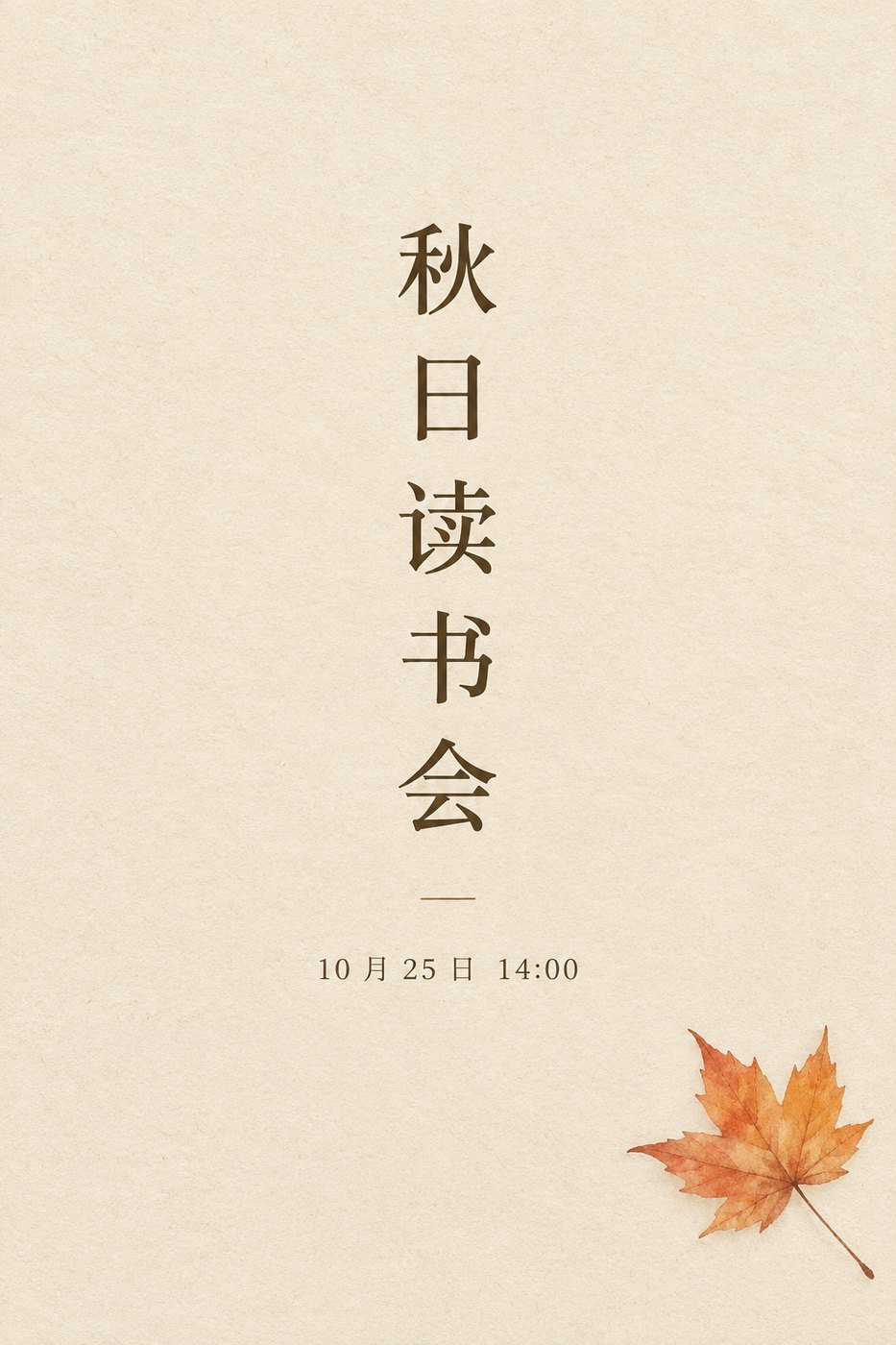
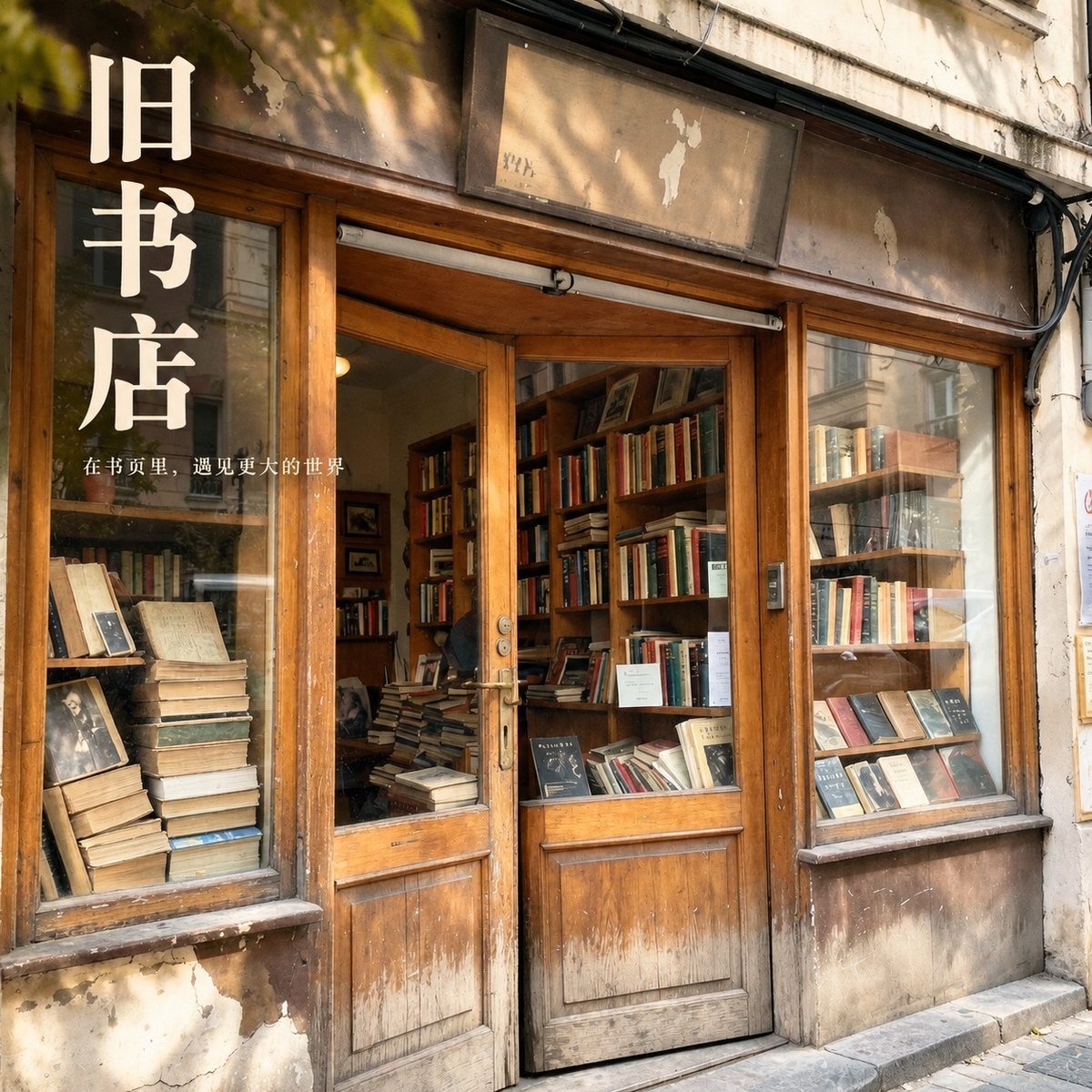
Both images below were generated withgpt-image-2.5-all, showing text-to-image and image-editing results. They represent this model and these prompts only, not a performance guarantee for every model in the comparison.
Text-to-image · Chinese vertical poster (prompt only: warm beige paper texture, a vertical Chinese headline 秋日读书会 in the center, the date 10 月 25 日 14:00 beneath it, and a hand-drawn maple leaf in the bottom right): 33.8 s, every character of the vertical headline is correct, the date line is crisp, and the whitespace and leaf placement follow the brief.
When to Pick Each
Pick gpt-image-2-all / gpt-image-2.5-all (Reverse) when
💰 Predictable cost
Stable $0.025/image (cut from $0.03 on 2026-10-10) with no size/quality tier, and even lower once top-up bonuses are applied. Ideal for batch production with hard cost ceilings (infographics, marketing assets, e-commerce thumbnails).
⚡ Faster output
~90s generation — slightly faster than both
-vip and the official version. Better real-time UX.🔁 One codebase, swap anytime
Standard Images API format — same code as the three
-vip models and the three official models; switch or fall back by changing the model name. gpt-image-2-all and gpt-image-2.5-all share price and behavior; the new name simply reflects that ChatGPT web has moved to Images 2.5.🌏 Chinese + marketing text
Native Chinese prompt support, excellent text rendering for signage / posters / infographics — great for Chinese-audience content production.
Pick the three -vip models (Reverse, size-locking) when
🎚️ quality works (all six tiers on 2.5)
gpt-image-2.5-flare-vip / gpt-image-2.5-sunburst-vip accept all six tiers from auto to max in testing (xhigh / max opened 2026-09-10); gpt-image-2-vip goes up to high. All of it is channel behavior, not a commitment. Tier alignment: 2.5 high only equals gpt-image-2-vip medium, and 2.5 max equals gpt-image-2-vip high; the flat $0.03 does not change with the tier.⏱️ Choosing among the three
flare-vip is the fastest with a softer look; sunburst-vip has higher quality and editing precision and looks close to
gpt-image-2-vip; all three reach the same top token tier (max on 2.5, high on gpt-image-2-vip). All are slower than -all — max at 1024² measured 80–160 s — so pick them when a longer wait is acceptable.🖼️ Locked sizes / 4K
The
size parameter is restored (since 2026-07-22): 30 preset sizes (10 ratios × 1K/2K/4K). E-commerce hero shots, poster templates and 4K wallpapers come out at exact dimensions — flat $0.03/image, no 4K surcharge.🔁 Code shared with -all
Same request structure as
-all (just one extra size field) — one codebase switches across all five reverse models by swapping the model name based on your speed / quality preference.-vip’s size only works on the /v1/images/generations and /v1/images/edits endpoints — the /v1/chat/completions chat endpoint does not support size. For arbitrary custom sizes beyond the 30 presets or precise mask inpainting, use the official models (gpt-image-2.5-flare / sunburst). Availability of this parameter follows upstream changes — see Live Updates for the latest status.Pick the official models (gpt-image-2.5-flare / sunburst / gpt-image-2) when
🎚️ Quality tiers
All six
quality tiers are available and officially committed, with tiers and token counts stable per the official spec. The reverse 2.5 -vip models have also opened all six tiers (measured 2026-09-10), but that is channel behavior with no commitment, and gpt-image-2-vip still stops at high.🎯 Mask inpainting
Alpha-channel mask supported — precisely modify a region while preserving the rest. The reverse models only regenerate the whole image and do not guarantee touching only the masked region.
🖼️ Arbitrary custom sizes
size accepts any valid resolution (including 4K), not limited to presets. The -vip trio only guarantees the 30 presets and rewrites anything else — strict custom sizes go official.🔌 Same as OpenAI Official
Goes through the official Images API — fields and behavior identical to OpenAI official. Existing OpenAI-SDK-based code / systems migrate with zero changes and stay stable long-term.
Key Differences in Detail
1. b64_json format gotcha (migration trap!)
As verified in July 2026, the official and reverse models all return raw base64 (nodata: prefix) — but gpt-image-2-all used to include the prefix, so the safest shared code checks for it first:
2. Resolution control
gpt-image-2-all / gpt-image-2.5-all (no size field — composition goes in the prompt; both names behave the same):
-vip models (gpt-image-2.5-vip / gpt-image-2.5-flare-vip / gpt-image-2-vip; size restored since 2026-07-22):
Accept 30 preset sizes (10 ratios × 1K/2K/4K) — pass size: "WIDTHxHEIGHT" directly (must be one of the 30 presets; full list in the 30-size table). All three also accept quality in testing (channel behavior, not a commitment): the two 2.5 models take all six tiers (xhigh / max opened 2026-09-10), gpt-image-2-vip up to high; the 2.5 models’ high output tokens only equal gpt-image-2-vip medium, and their max equals its high:
size strictly honored + quality tiers; the sample uses gpt-image-2.5-flare, swap in sunburst / gpt-image-2 by changing only the model name):
3. Upload / output format differences
4. Cost ballpark
Official figures are rough: output tokens measured on 2026-09-09 × $30 per million, excluding prompt input tokens (usually under $0.001).
Model prices are aligned with the official ones and may change when the provider adjusts them; the table above is for reference only — the Model Pricing tab in the top navigation is authoritative: Model Pricing.
Bottom line: For batch / low-quality workloads, the reverse channel isn’t always cheaper (1K
low is actually less expensive on the official tier, and the two 2.5 models cost only ~$0.013 / ~$0.053 even at medium / high). The mid-to-high quality range (gpt-image-2 from medium up, the 2.5 models from xhigh up) is where the reverse channel’s $0.025–0.03 becomes the sweet spot. Pick official (token-metered) when you need quality tiers / mask inpainting / locked sizes, 4K / strict OpenAI-API field parity.Client Settings
FAQ
Should I compress input images? Does writing 4K / 8K in the prompt help?
Should I compress input images? Does writing 4K / 8K in the prompt help?
Yes, strongly recommended. For all eight models, compress each input image to under 1.5MB (JPEG quality 80-90 / down-sized resolution): sporadic
shell_api_error / Unknown error responses are most often triggered by oversized inputs, and compressing measurably improves success rate and latency.Don’t worry about compression hurting quality — output resolution is independent of input size. The “output-side” controls differ across the three families:gpt-image-2-all/gpt-image-2.5-all: controlled by prompt composition phrasing (see the verified phrasing table on the -all overview page) —4K/8Kin the prompt does not count- The three
-vipmodels (gpt-image-2.5-vip/gpt-image-2.5-flare-vip/gpt-image-2-vip): controlled by thesizefield (30 preset sizes incl. 4K), optionally withquality(six tiers on the 2.5 models, up tohighongpt-image-2-vip) —4K/8Kin the prompt does not count either - Official models (
gpt-image-2.5-flare/sunburst/gpt-image-2): controlled bysize+quality(any valid size)
Can the same API Key call all eight models?
Can the same API Key call all eight models?
Yes. All eight run on the Default group — the same API Key calls them with no extra config. Note: calling the official models requires a “Token-priority” token;
-all / -vip accept either token type.Which endpoints should I use on the reverse channel?
Which endpoints should I use on the reverse channel?
Use the OpenAI Images API (
/v1/images/generations for text-to-image + /v1/images/edits for editing), for two reasons:- More stable: upstream resource supply for the Images API channel is more plentiful, so call success rates are higher
- Compatible with the official relay for easy switching: the call method and parameter format are fully compatible with the three official models (
gpt-image-2.5-flare/sunburst/gpt-image-2) — if the reverse channel hits risk-control turbulence, just swap themodelname to switch to the official relay with zero code changes
/v1/chat/completions, no longer recommended), only useful for multi-turn iterative editing or passing online image URLs directly. Note that when the image intent is ambiguous, it may return plain text instead of an image (prepend a fixed prefix like “Generate an image:” to reinforce it). For full parameters, see the -all chat-based API reference / -vip chat-based API reference.Within the reverse channel, -all vs -vip — which to pick?
Within the reverse channel, -all vs -vip — which to pick?
Both lines are reverse-engineered channels (-all $0.025/image, -vip $0.03/image) with the same call format (the
-vip trio additionally supports size locking and quality, all six tiers on the 2.5 models). The difference is speed vs quality + size locking:- Generation time:
-all/2.5-all~90s — speed is the advantage; the-viptrio ~120–200s. Currently slower than at launch due to OpenAI upstream compute fluctuations - Quality:
-vip(Adobe line) detail rendering is sometimes higher — for showcase images when you’re not in a hurry; within the trio, sunburst-vip looks close togpt-image-2-vipand flare-vip is softer - Size locking: the
-viptrio supports 30 presetsizevalues (incl. 4K);-all/2.5-allrejectsize— composition goes into the prompt
-all / 2.5-all; need locked sizes / 4K → the -vip trio; need custom sizes beyond the 30 presets or precise mask → official. See the GPT-Image-2.5-VIP Overview for details.Within -vip, the two 2.5 models vs gpt-image-2-vip — which to pick?
Within -vip, the two 2.5 models vs gpt-image-2-vip — which to pick?
Same price, groups and call format (a 253-request three-arm comparison on the same channel and token on 2026-09-09 found the contract identical cell for cell). Only three things differ:
- Tiers: the 2.5 models take all six (
xhigh/maxopened 2026-09-10),gpt-image-2-vipup tohigh; same-named tiers are not equal — at 2048×1152, 2.5high1,413 =gpt-image-2-vipmedium, and 2.5max5,650 =gpt-image-2-viphigh. All three reach the same top token tier - Quality and speed: flare-vip is the fastest with a softer look and fewer decorative details; sunburst-vip looks close to
gpt-image-2-vip - Default size: flare-vip is a fixed 1024×1536, the other two 2048×2048; always pass
sizeto lock it
gpt-image-2.5-vip is sunburst-vip. The full row-by-row table is in the GPT-Image-2.5-VIP Overview, section “Three -vip models compared”.I need locked sizes / 4K — what now?
I need locked sizes / 4K — what now?
Start with the
-vip trio (gpt-image-2.5-vip by default; pick gpt-image-2-vip with high for the highest token tier): the size parameter was restored on 2026-07-22 and supports 30 preset sizes (10 ratios × 1K/2K/4K) at a flat $0.03/image with no 4K surcharge. Note that size only works on the images endpoints and must be one of the 30 presets.Go official (gpt-image-2.5-flare / sunburst / gpt-image-2, token-metered) when you need any valid size beyond the 30 presets, officially committed quality tiers (the -vip tiers are channel behavior with no commitment), precise mask inpainting (alpha-channel mask), or strict OpenAI-API field parity (zero-change migration for existing OpenAI-SDK code).Migrating from 1.5 — which one should I pick?
Migrating from 1.5 — which one should I pick?
- Stick with the OpenAI SDK / must match OpenAI official, or need custom sizes beyond the 30 presets: pick the official models (
gpt-image-2.5-flarefor text-to-image,gpt-image-2.5-sunburstfor edits). Dropinput_fidelityand leave the rest unchanged (background: transparentkeeps working). - Cut cost, want fast output: pick
gpt-image-2.5-all(reverse, ~90s; same price and behavior asgpt-image-2-all). - Cut cost, quality-first or need locked sizes / 4K: pick
gpt-image-2.5-vip(reverse, ~120–200s, 30 preset sizes incl. 4K, all sixqualitytiers;gpt-image-2-vipstops athigh).
Can I deploy multiple models for failover?
Can I deploy multiple models for failover?
Yes. A common pattern: primary
2.5-all or 2.5-vip (predictable cost — pick by speed / quality preference), fallback to the official gpt-image-2.5-flare / sunburst (switch when you need quality tiers, mask, or custom sizes beyond the 30 presets). The reverse and official response shapes differ — normalize at the business layer.The R2 CDN image link is slow — what can I do?
The R2 CDN image link is slow — what can I do?
Related Docs
- GPT-Image-2.5 / 2 Overview - Full integration docs for the three official models
- GPT-Image-2.5-All Overview - Reverse ChatGPT-web line (fastest output;
gpt-image-2.5-all/gpt-image-2-all) full integration docs - GPT-Image-2.5-VIP Overview - Reverse Adobe line (the
gpt-image-2.5-vipseries plusgpt-image-2-vip;sizelocking,qualitytiers) full integration docs - Deep dive: GPT-image-2.5 launch - The 2.5 dual-model launch
- Deep dive: gpt-image-2 launch - Official version launch
- Deep dive: gpt-image-2-all launch - Reverse-engineered version launch
- Community: Luck GPT-Image 2 ComfyUI Nodes - Multi-model ComfyUI node pack
- Community: APIYI GPT-Image 2 Skills - Multi-model AI Agent Skill pack
- Deposit promotions - Recharge bonus policy