

Case Study: an Edit That Got the Color Wrong
The task: a product sheet of a toy tea set, with the two “Cups” in the lower left (one gray, one green) marked by a red box. The prompt:Change the items in the red box to black, remove the red box, keep everything else unchanged
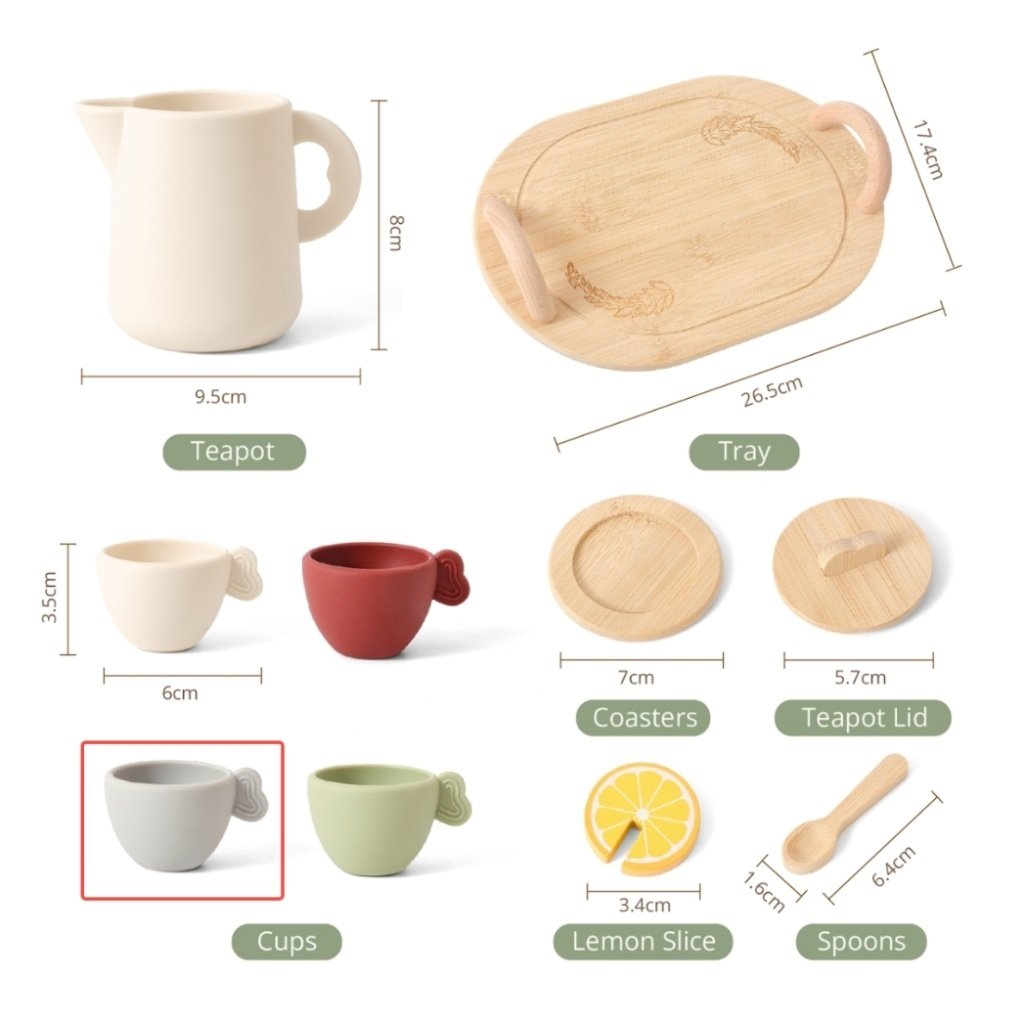
Input image: a red box marks the two cups (one gray, one green) in the lower left; the request is to make them black and remove the box
gemini-3.1-flash-image (Nano Banana 2) via the API and got this:
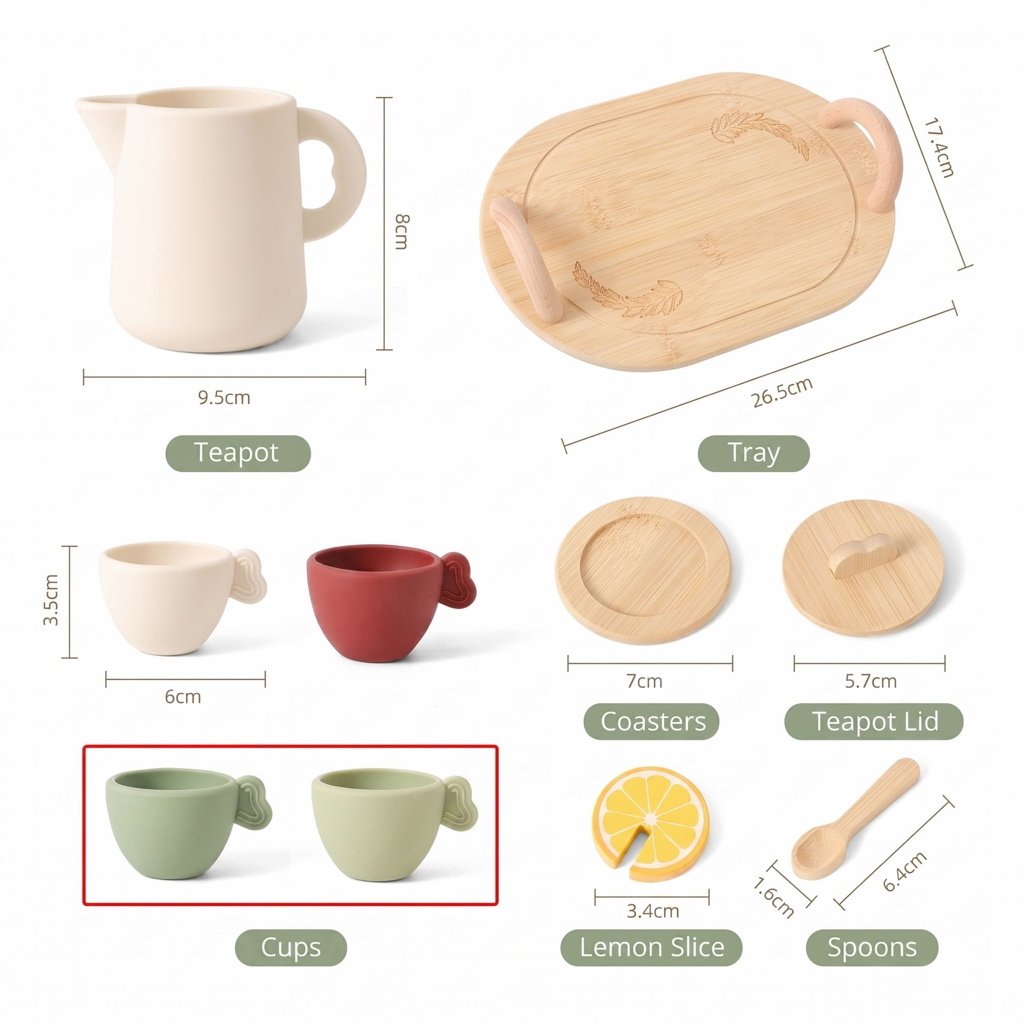
Failed result from a single API call: both cups turned green, and the red box was not removed
gemini.google.com) and it worked well. Their feedback:
The API output is completely different from the official (web) output — it feels like the API just doesn’t understand as well.The frustration is real, but the attribution needs correcting. Let’s break it down.
First, Understand: the Web App Is an Agent; the API Is a Single Atomic Call
Comparinggemini.google.com results directly against a raw API call is not an apples-to-apples comparison:
Same model, two product forms. The web app polishes your casual instruction into a form the model executes more reliably — with the API, that polishing is your job (and that’s precisely the API’s value: everything is controllable, reproducible, and integrable).
So “the web app works better” mostly comes from pipeline differences — it does not support the conclusion that “the API understands less”. The API receives your raw, unprocessed prompt, so results naturally depend more on the prompt’s own quality.
Single-Call Variance Is Inherent to Generative Models
We retried the task with the exact same prompt + image on the imagen.apiyi.com test tool: it succeeded on the first try — cups turned black, red box removed, everything else untouched.To be clear: the only difference between imagen.apiyi.com and a raw API call is a built-in “generate an image” intent prompt. It helps the model commit to producing an image, but has nothing to do with whether this case’s precise edit succeeds — the tool did not succeed because it “added secret sauce”.
Strategy 1: Improve the Prompt
The less ambiguous and more executable the prompt, the higher the single-call success rate. Using this case as the example: Original prompt (casual, relies on the model to infer):Change the items in the red box to black, remove the red box, keep everything else unchangedImprovements:
Improved full prompt example:
Edit this image and do two things: ① change the two cups inside the red box to matte pure black, preserving their original material texture and shape; ② delete the red box outline itself. Keep the colors, positions, dimension labels, and text of all other items in the image completely unchanged.
Not Sure How to Improve It? Let an AI Rewrite It for You
Improving the prompt is itself a job you can hand to AI — simply send three things together to a well-known, reliable AI chat product (such aschatgpt.com or gemini.google.com):
- The original prompt (pasted verbatim);
- A description of the problem (e.g. “asked for black, got green, and the red box wasn’t removed”);
- The before/after comparison (upload the original image and the actual output together).
Strategy 2: Retry on Failure
Since failures come from single-sample variance, retrying is itself an effective remedy — sending the identical request again often just works (exactly what happened in this case).- Budget 1–2 automatic retries in your business code for “result doesn’t match expectations”;
- Distinguish two failure types: “an image came back but the edit is wrong” versus “no image at all”. The latter (HTTP 200 but no image) is usually a content-moderation block — see the Gemini Image API Error Handling Guide.
Strategy 3: Switch Models
For this case we tested other models with the identical prompt + image — all succeeded on the first try:
Different models are good at different instruction types. A task that keeps failing on one model may pass immediately on another. On the APIYI unified gateway, switching models means changing only the
model parameter (same key, same endpoint) — nearly zero cost. Make “switch models” a first-class step in your image workflow — it’s a legitimate strategy for reaching the goal, not a compromise.
In practice, organize a “fast first, strong later” ladder:
- Default to a fast, inexpensive model (e.g.
gemini-3.1-flash-image) for routine tasks; - When a precise-editing task fails 1–2 times, automatically escalate to
gemini-3-pro-imageor thegpt-image-2series and retry; - If nothing works, go back and rework the prompt.
Special case: blurry small text is a quality tier problem, not a model problem
When the image carries text — posters, UI screenshots, signage, chart labels — small characters going soft is usually a quality tier set too low, not a weak model. Check first which tiers your model exposes:
The same tier name does not mean the same tier across models: the 2.5 series re-graded the ladder, so 2.5’s
high is roughly gpt-image-2’s medium, and only 2.5’s max matches gpt-image-2’s high. Carrying quality over unchanged when migrating from gpt-image-2 silently drops a tier, which reads as “the new model renders text worse”. Per-tier numbers are in GPT-Image-2.5 / 2 Image Generation/Edit.
The Gemini family (Nano Banana 2 / 2 Lite) takes no quality parameter. What you can tune there is resolution and thinkingLevel: turn on thinkingLevel: "high" when in-image text layout or compositional logic really matters, at about +54% cost and +55% latency. gemini-3-pro-image does not support the adjustment. Mechanism details are in Usage Fields & Output Explained.
Strategy 4: Isolate the Problem with a Test Tool First
When debugging “why is the output wrong”, isolate the variables first. imagen.apiyi.com lets you validate the “prompt + image” combination quickly, without writing code:- Fails on the tool too → most likely a prompt/task issue; go back to Strategy 1, or switch models per Strategy 3;
- Succeeds on the tool, fails in your code → check your code: is the image fully uploaded, are the parameters correct, is the prompt truncated or mangled by escaping;
- Works sometimes, fails sometimes → that’s sampling variance; add retries per Strategy 2.
Quick Reference
- Web app ≠ API: the web app is a full agent with prompt rewriting and multi-step orchestration; the API is a single atomic call with your verbatim prompt — the perceived gap mostly comes from the pipeline, not from “the API understanding less”.
- Random single-call variance is inherent to generative models — one failure says nothing about the model or the gateway.
- Strategy 1, improve the prompt: concrete nouns, specific colors, enumerate what to preserve, number the actions — change one category of thing at a time.
- Strategy 2, retry: budget 1–2 retries for “wrong edit”; “no image” is a different problem (see the error handling guide).
- Strategy 3, switch models: in this case
gemini-3-pro-image,gemini-3.1-flash-lite-image, and thegpt-image-2series all succeeded first try; on a unified gateway it’s a one-parameter change. - Blurry small text: raise the quality tier first:
highat minimum for text-bearing images (xhigh/maxon the 2.5 series), and check the token cost before you do; on the Gemini family usethinkingLevel: "high"instead. - Strategy 4, use the test tool to isolate: validate “prompt + image” on imagen.apiyi.com first, to tell prompt issues, code issues, and sampling variance apart.