Nano Banana OSS (NB-OSS) beta group: image output is a URL instead of Base64, reducing transfer overhead and improving the experience. Best for scenarios where you use URLs directly.
What it is: This is a beta group whose image output is a URL rather than Base64, which reduces Base64 transfer overhead and improves the customer experience. Best for scenarios where you use the URL directly. If you have no special needs and can handle Base64-encoded image output, we still recommend using the “Normal Default Group” or the “NanoBanana Enterprise Group”.
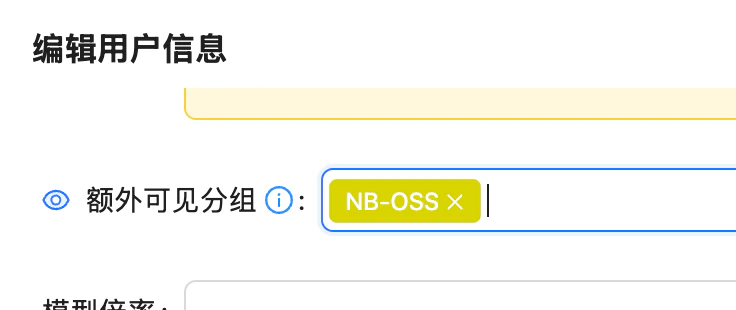
Contact an admin to enable the NB-OSS visible group for your account (add NB-OSS under “Edit User Info → Extra Visible Groups”).
Edit User Info: add NB-OSS under Extra Visible Groups
2
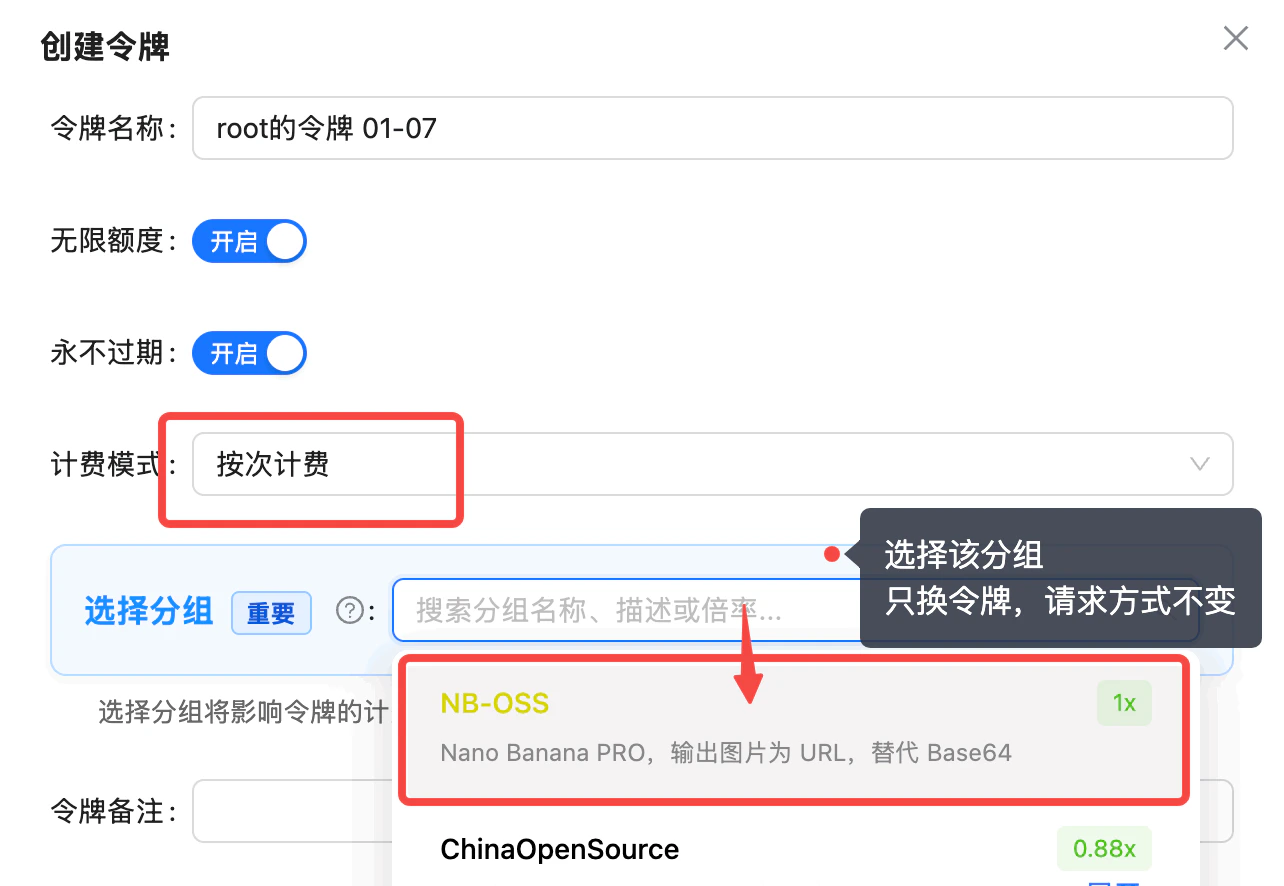
Create a token: select the NB-OSS group
When creating a token, set the billing model to “per-call billing” and select the NB-OSS group (Nano Banana PRO, image output as URL instead of Base64). You only swap the token; the request format stays the same.
Create token: set billing model to per-call billing, select the NB-OSS group (1x) — image output as URL instead of Base64
3
Swap the token and test
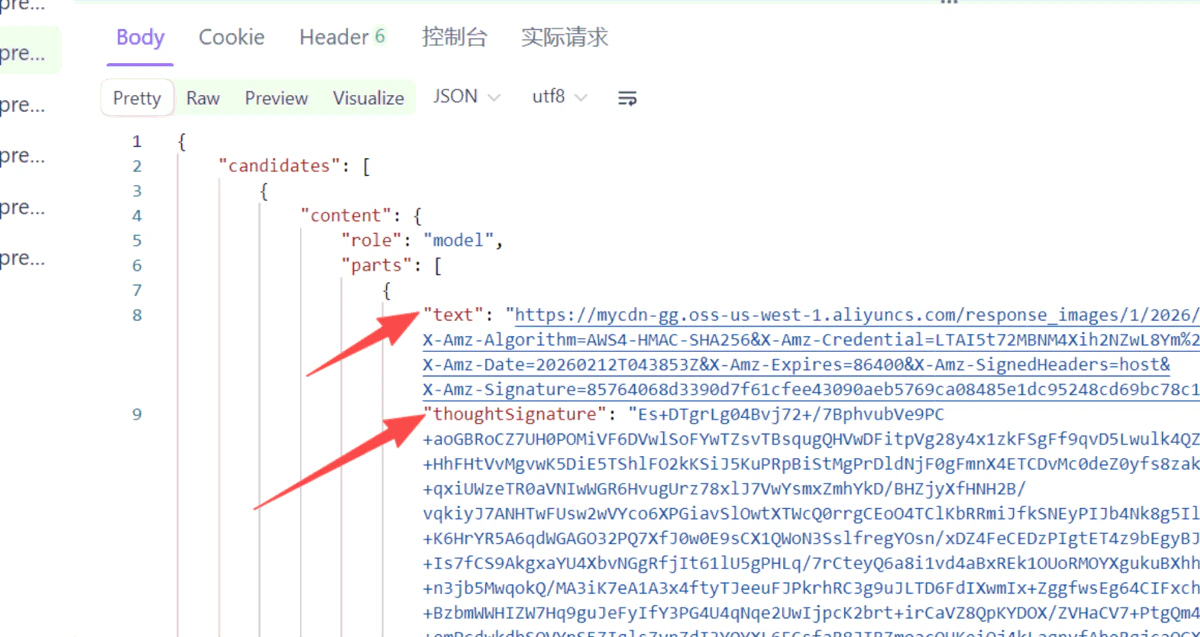
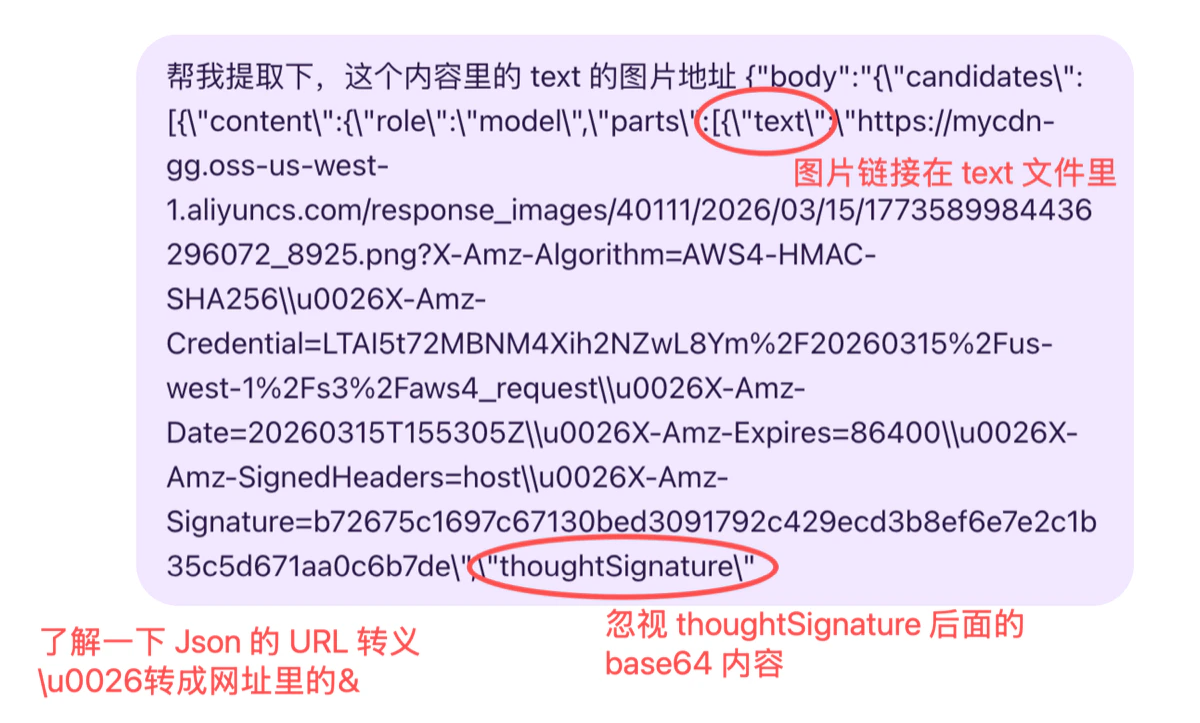
Swap in the token and run a test. Your code needs to handle parsing URL output — don’t simply replace Base64; supporting both works best.
The subdomain part of the URL (the <bucket-name>, e.g. mycdn-gg) may change over time — do not hard-code the full domain in your code or firewall rules. If you need to match or allowlist the domain, match the suffix oss-us-west-1.aliyuncs.com (Alibaba Cloud’s official OSS domain), or more loosely allow *.aliyuncs.com.
Since the storage node is in North America, direct downloads from some regions (e.g. mainland China) can be slow. Common causes and suggestions:
Corporate network throttling / allowlist blocking of overseas traffic: ask your network admin to lift rate limits on and allowlist *.oss-us-west-1.aliyuncs.com (or *.aliyuncs.com).
Re-host promptly: download the image as soon as you get the URL and re-upload it to your own storage / CDN before serving end users — don’t expose the OSS URL to end users long-term.
Download via a server: if your local network is slow, download through an overseas server (or one with a good network route) first, then relay it.