

What is a token (API KEY)
A token is the API KEY you use to call APIYI, starting withsk-. It is the credential for your identity and permissions. Its main roles include:
Authentication
Every API call must carry a token to verify your identity and account.
Quota & permission control
Set a dedicated quota, expiry date, allowed models, and groups per token.
Usage statistics
Track each token’s spend, remaining quota, and call logs independently.
Flexible allocation
Create separate tokens for different projects or team members.
After registration, the system automatically generates a default token that works out of the box. You can also create additional tokens as needed.
How to create a token
1
Open the Token page
Open the “Token” page from the top navigation: https://api.apiyi.com/token
2
Click 'New'
Click the “New” button in the top-right corner to open the create-token dialog.
3
Fill in token details
Set the token name, quota (unlimited optional), expiry (never-expire optional), billing mode, and group (see below).
4
Save and copy the KEY
After saving, click the copy icon to the right of the token to copy the full
sk- KEY.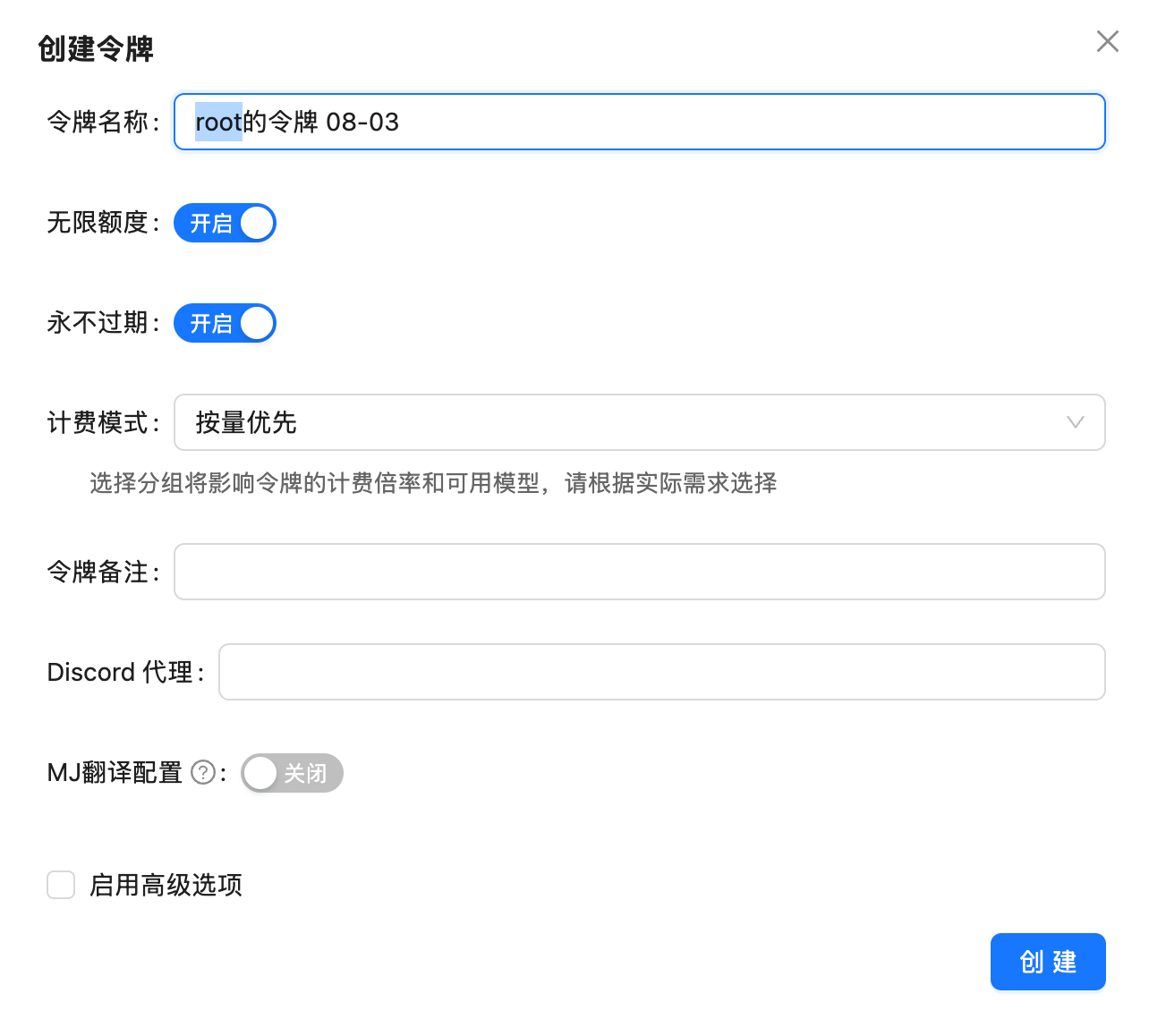
Editing a token & viewing code examples
Click the management menu (wrench icon) in the “Actions” column to expand all operations: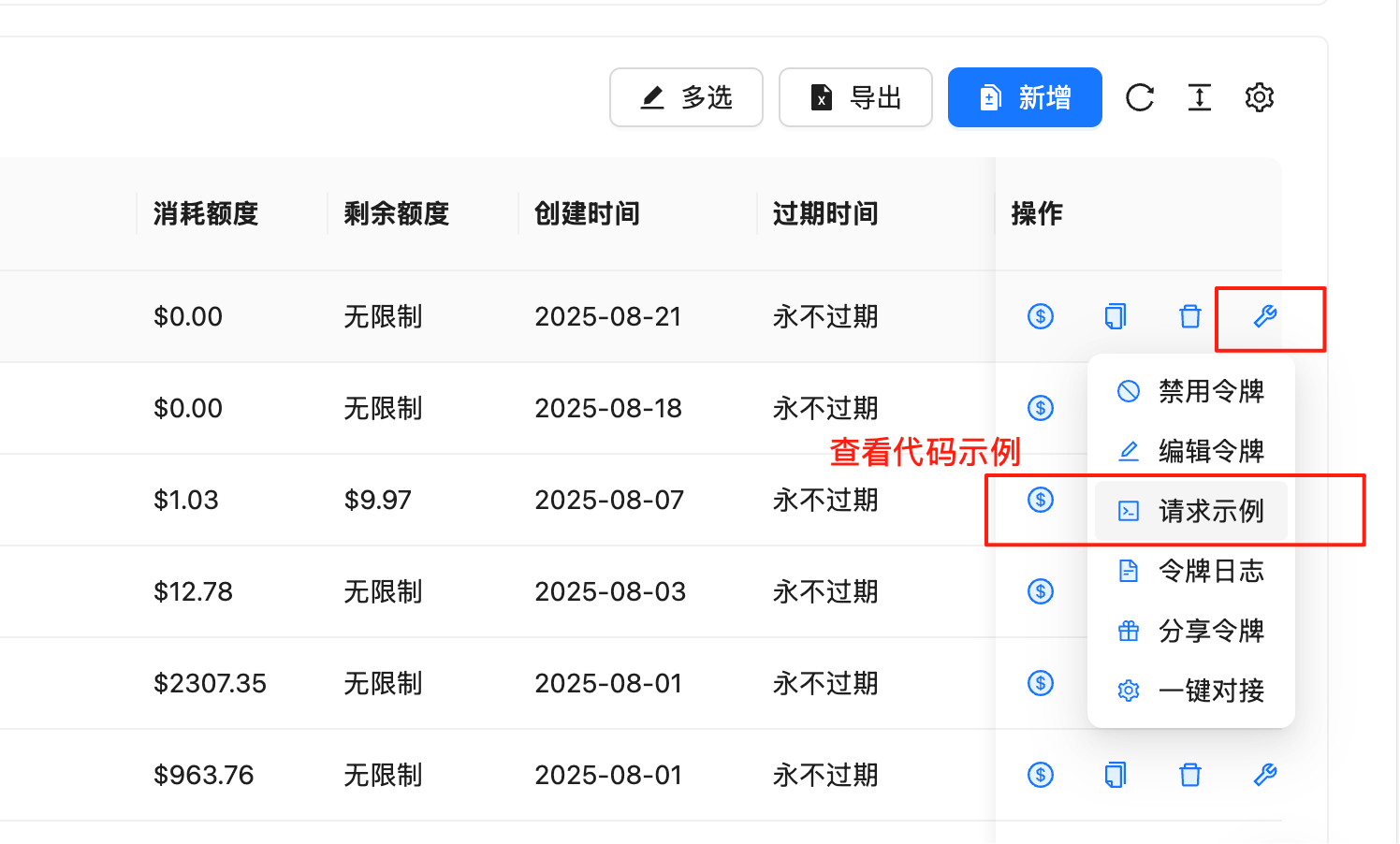
“Request example” is the code example entry point. It generates runnable call code with the current token pre-filled, so you don’t have to assemble the KEY and endpoint manually — ideal for quick testing and integration.
Will sharing one token among multiple people get rate-limited?
A common question from customers: “If one token is shared by multiple people, will it be rate-limited?” The answer: the token itself has no rate limit. Rate limiting follows the account, regardless of how many tokens you have or how many people use them — one token shared by 10 people behaves exactly the same as 10 tokens used by 1 person each.RPM (requests per minute)
In general, a single account running at up to 100 RPM is perfectly fine — enough for the vast majority of teams and applications.
TPM (tokens per minute)
TPM is not enforced, so you don’t need to worry about long contexts or high concurrent token volume triggering limits.
What is a group
A group is a “resource channel” you can choose for a token. Different groups map to different upstream resources, available model ranges, and billing multipliers, and are open for users to choose. In short: the same model may be served by multiple upstream channels, and the group lets you choose which channel to use. Different models may require different groups, so picking the right group ensures the call works and gets the corresponding discount.In the vast majority of cases, the default group (Default) is all you need — it has full model coverage, including text models, the NanoBanana series, Veo 3.1, and most others.
Default group & fallback groups
A single token can have up to 3 groups: 1 default group + 2 fallback groups.Default group (primary)
The group the token uses first; covers most models. Every token must have 1 default group.
Fallback groups (backup)
Backup channels that activate automatically when the default group cannot serve a request. Up to 2, improving call success rate.
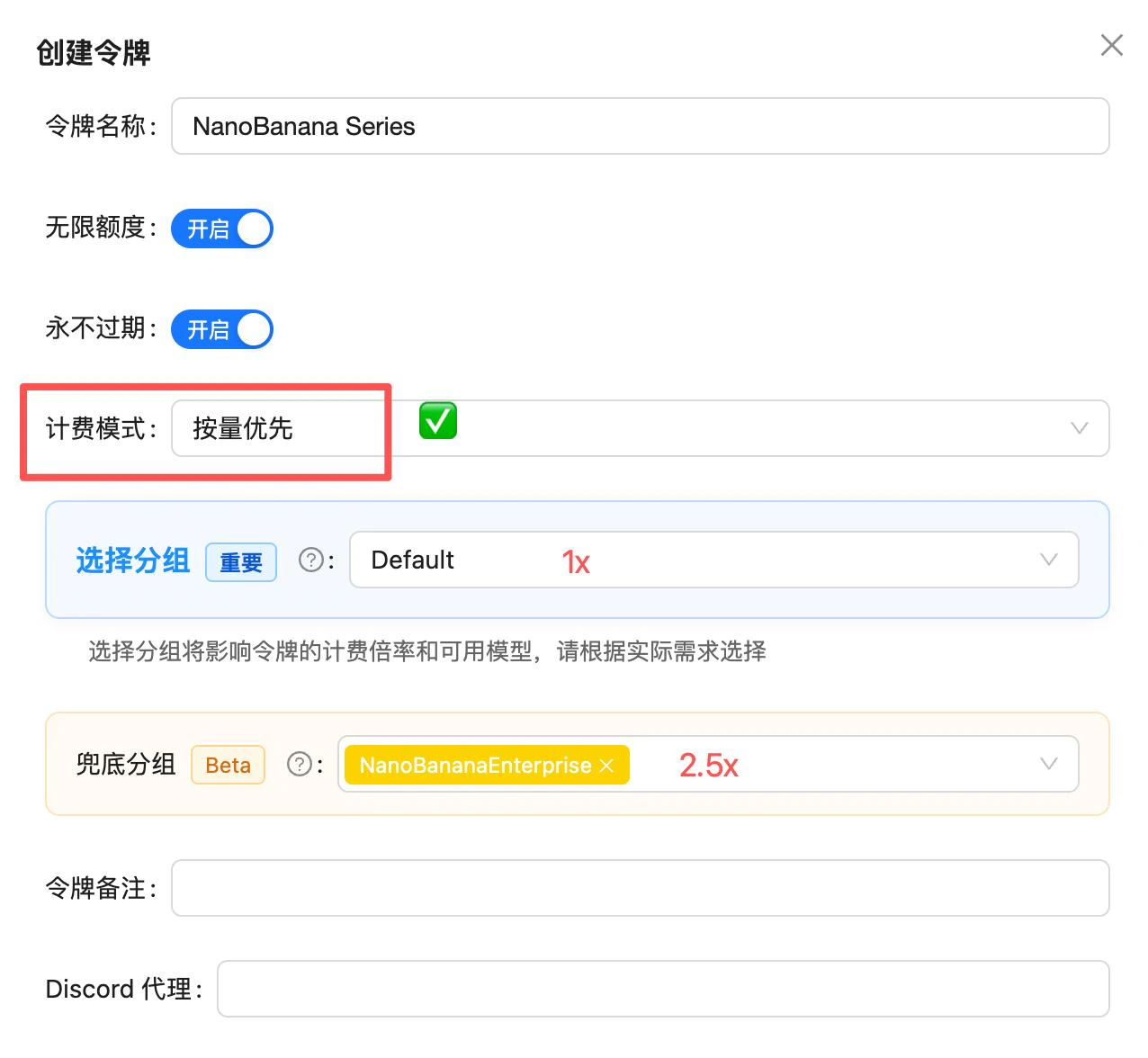
- Select group: sets the default (primary) group,
Defaultby default - Fallback group: add 1–2 backup groups that take over when the primary is unavailable
Different models need different groups
The default group covers most models, but some models (especially video models) require a dedicated group:Group overview
Below are the groups and descriptions provided by the system (the console display is authoritative):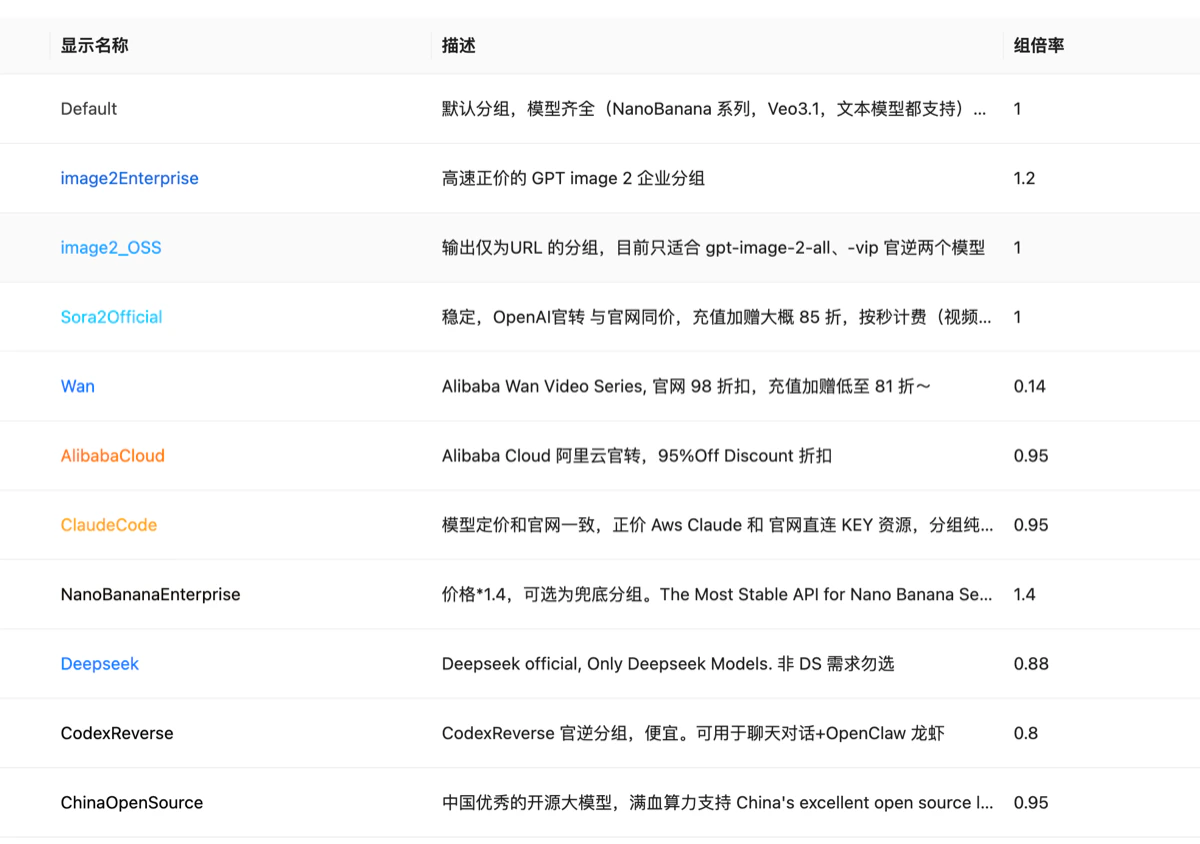
The “Group multiplier” column is a relative value priced in RMB — it is not a direct USD discount ratio, so there’s no need to over-analyze it. Just pick the group that matches your model. To understand multipliers and price conversion, see What is a model’s multiplier?.
Related docs
Token billing modes
Understand the difference between pay-per-usage and pay-per-call modes.
Token model whitelist
How to limit the models a single token can use.
Model multiplier
Understand multiplier meaning and price calculation.
Call logs
View call records and spend details per token.